

FRPFILE Open Menu iPhone 15/ 15 PLUS/ 15 PRO/ 15 PRO MAX
2,800.00৳
| Delivery Time | Instant |
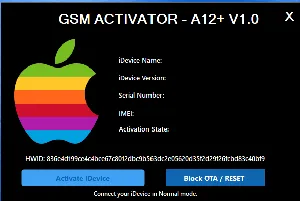
🚀 FRPFILE HIDDEN ACCOUNT V1.0.1
⚠️This service is intended only for customers who forgot their iCloud password and wish to remove the current account to sign in with a new one. (NOT FMI OFF so can’t restore, factory reset)
✅ Support iPhone Xr to 17 Pro Max, iPad 8 to M4 all IOS
✅ Remove Screen time passccode (Restriction)
✅ Hidden iCloud Account (NOT FMI OFF)
✅ Faster and more stable
✅ All func working
🔔 Instructions:
1. If your device has a screen lock password, try turning off the screen lock password by: Settings > General Settings > Transfer or Reset iPhone > Reset > Reset all settings
2. If device have screen time passcode > click “Remove Restriction” > The device will restart. As soon as the screen turns on, if device can’t turn off screen passcode you must quickly enter the screen passcode. After Remove Screentime Passcode Device will back to screen settup > Make sure to select “Continue with Partial Setup > Customize Seting > Don’t restore app and data”. After finish you must do Reset all settings: Settings > General Settings > Transfer or Reset iPhone > Reset > Reset all settings.
3. Click “Hidden account” for delete iCloud account (This not FMI OFF so Do NOT RESTORE OR FACTORY RESET DEVICE)
4. Once the tool has removed the iCloud account from the device, simply use Block Reset to finish the process.


Reviews
There are no reviews yet.